

Here is a simple tutorial on how to load a specific save. Other than the last autosave.
How to Load a Save
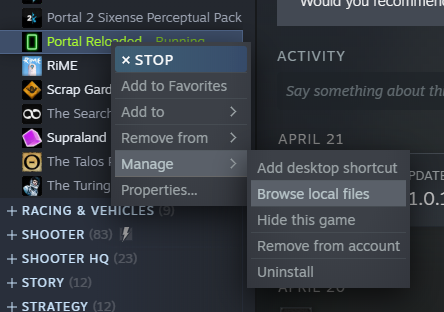
- Go to your Library
- Right click portal reloaded
- Click on Manage -> Browse local files
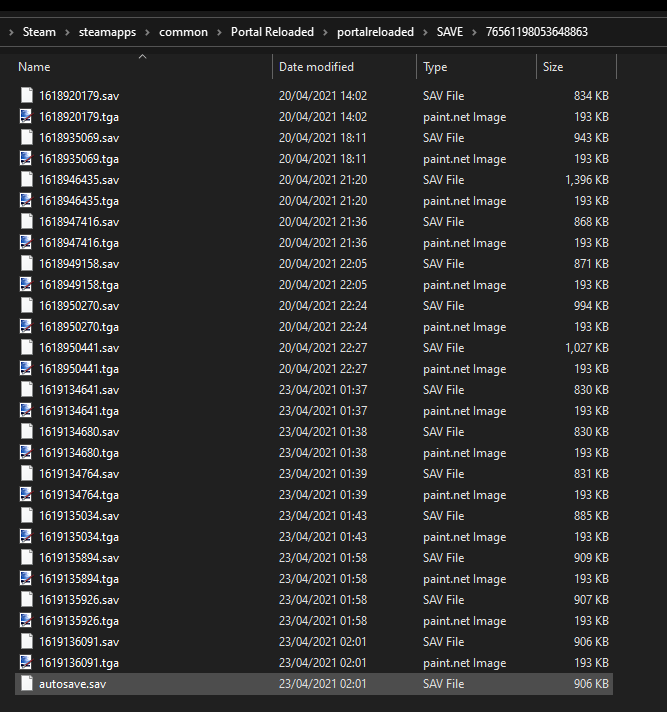
- Navigate to the portalreloaded/SAVE/<somenumber> Folder
- Delete the autosave.sav file
- Rename the savefile you wish to load to autosave.sav
- Start the game
- Click Continue
- Enjoy the game
By Nightmarius
