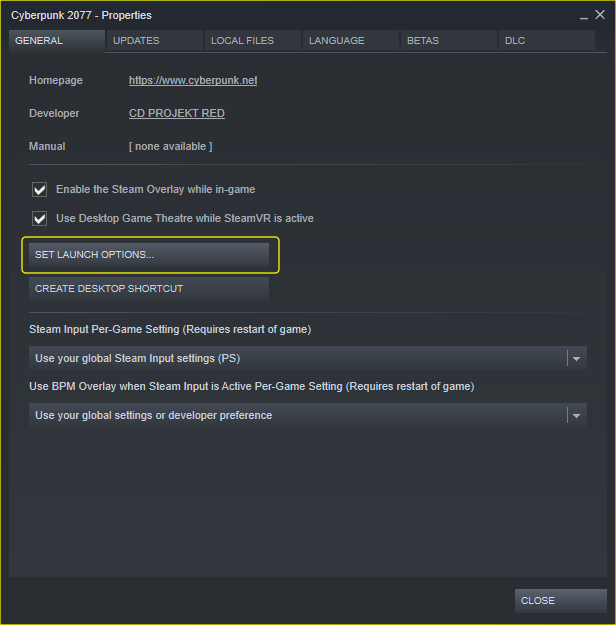
Cyberpunk 2077: How to Skip Launcher Published on: December 10, 2020 by Robins Chew Skip the Launcher and directly start the game Open Game Properties Set the launch options Insert launch parameter –launcher-skip Click “Play” Start the game and you are done. By Nox Related Posts: Cyberpunk 2077: How to Remove the Launcher, Intros, Loading Videos Cyberpunk 2077: How to Enable Cinematic_RTX Cyberpunk 2077: How to Change Game Language Permanently Cyberpunk 2077: How to Enable the Tab in Misc for Censor Nudity Cyberpunk 2077: How To Turn Off Dodge & Evasion About Robins Chew I'm Robins, who love to play the mobile games from Google Play, I will share the gift codes in this website, if you also love mobile games, come play with me. Besides, I will also play some video games relresed from Steam. Contact me Via X