

Here is a simple method for you to boost your FPS in World War Z Aftermath.
How to Enable FSR
To enbale FSR just go to Settings > Video and then:
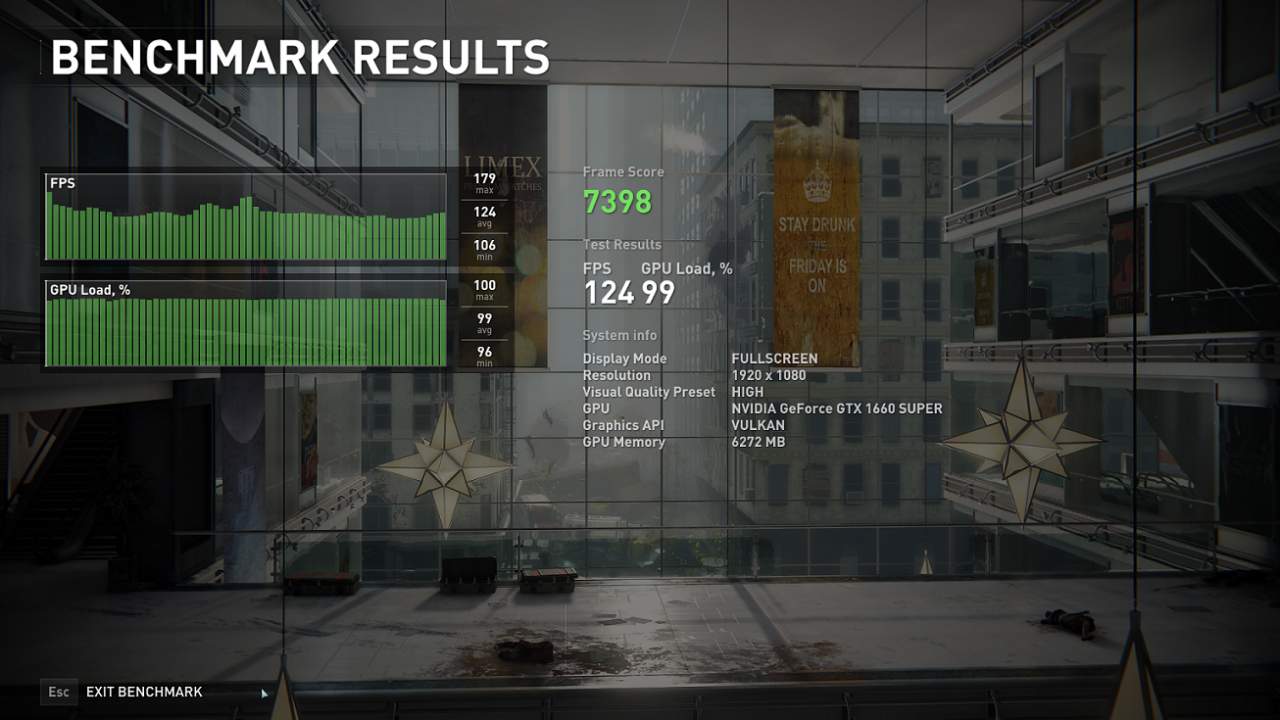
– Change Graphics API to Vulkan (this alone will increase your FPS around 20%)
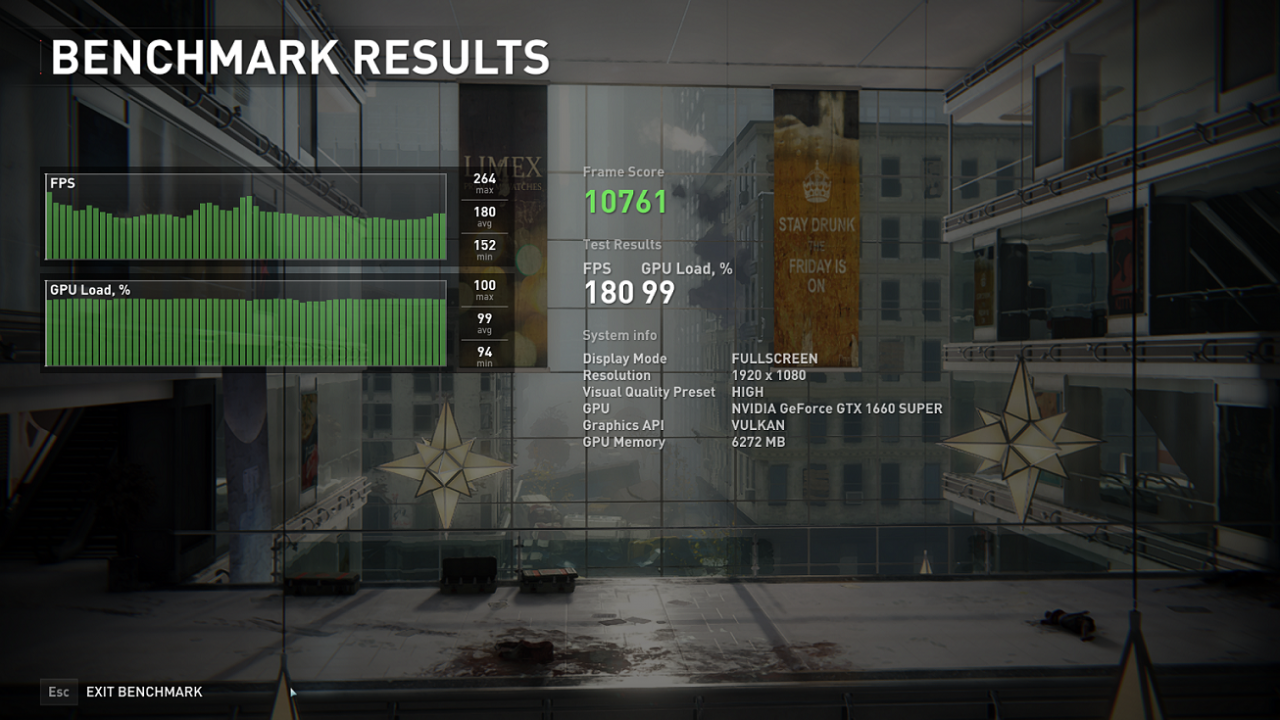
– Set FidelityFX Super Resolution (FSR) to whatever suits you. Its a bit blurry compared to native resolution but increase fps significantly (In “Quality” mode more than 70% improvement over DX11 In my test!)
Results
Here are the results:
(1080P / Visual Quality Present: High)
(1080P / Visual Quality Present: High)
API
Avg. FPS
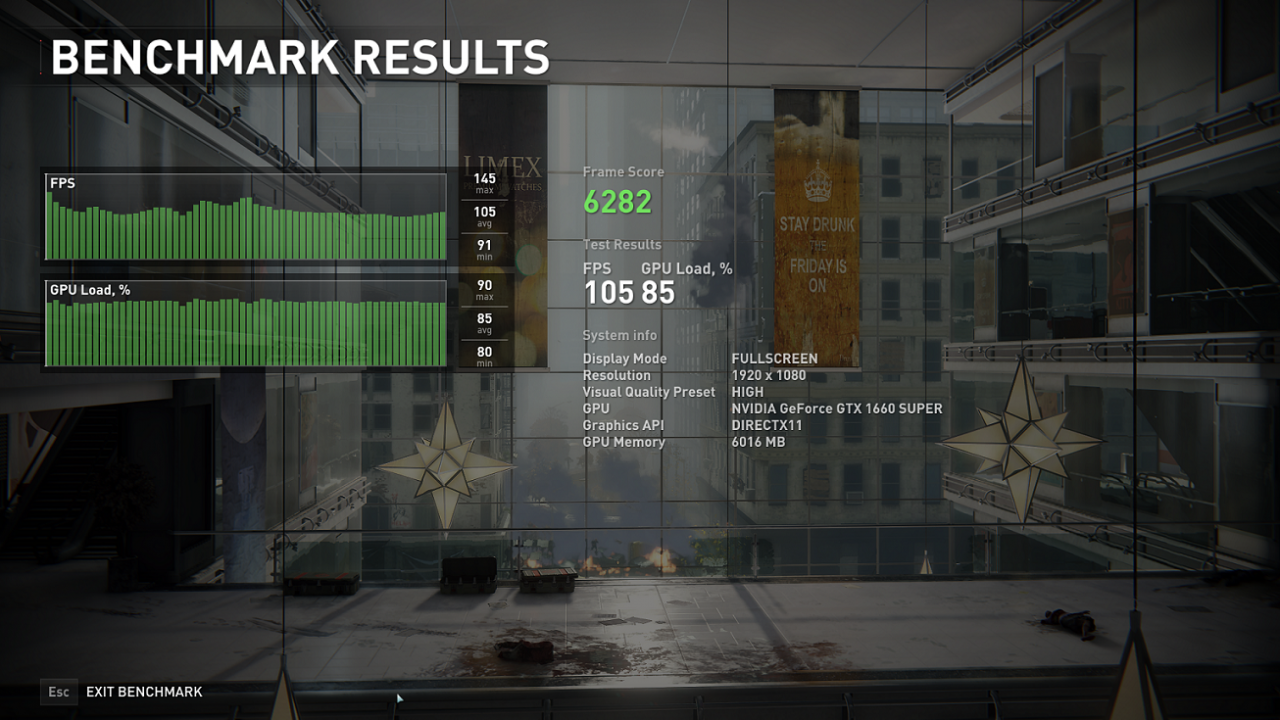
DX11
105
Vulkan
124
FSR
180
DX11:
Vulkan:
Vulkan+FSR:
Thanks to CyanideNOX for his great method, all credit to his effort. you can also read the original guide from Steam Community. enjoy the game.
