

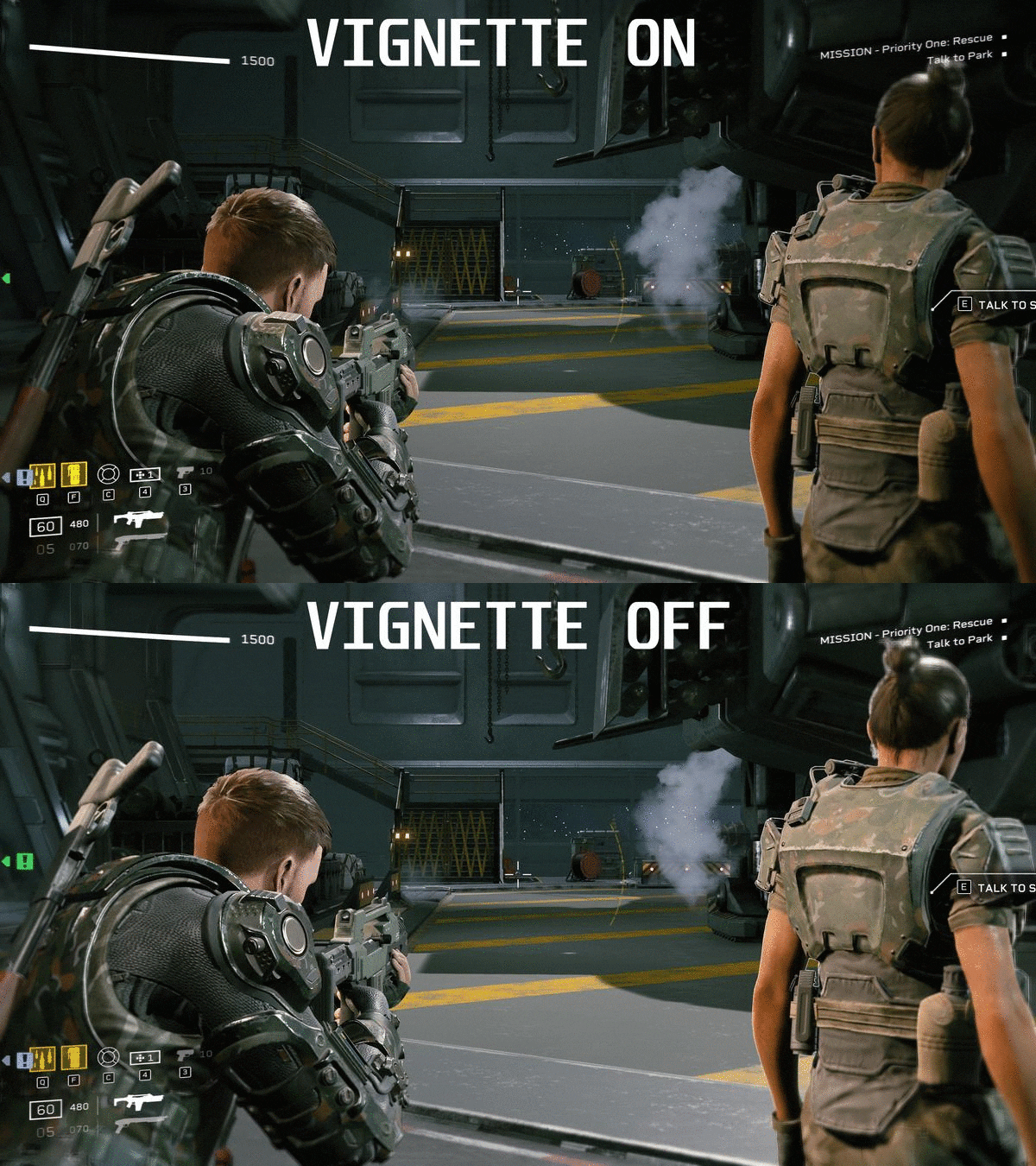
Here is a simple tutorial on how to disable the vignette effect (makes the edges of your screen dark).
How to Disable Vignette
Step 1
First, make sure the game isn’t running.
Open File Explorer and paste the following line into the address bar:
%LOCALAPPDATA%\Endeavor\Saved\Config\WindowsNoEditor
If for some reason you cannot figure out how to do this, just follow this folder structure:
C:\Users\YOUR USERNAME\AppData\Local\Endeavor\Saved\Config\WindowsNoEditor
Open it with the text editor of your choice (Notepad/Notepad++/etc.)
Add the following lines to the bottom of the file:
[SystemSettings]
r.Tonemapper.Quality=0
Save the file, start the game back up, and enjoy being able to actually see around you without artificial darkness!
Thanks to Zach Fett for his great guide, all credit to his effort. you can also read the original guide from Steam Community. enjoy the game.

I tried this and i don’t see “engine.ini”. there is an engine config folder but no options to change.