

There’s been a lot of talk lately about backing up save files, so I thought I’d share a method I’ve used with previous Souls games to backup my saves and launch the game with a single batch file.
Batch File to Backup Save Data at Game Launch
Here’s the batch file I use;
@echo off
TITLE Elden Ring - Backup Saves

SET datetime=%date%
FOR /F "skip=1" %%D IN ('WMIC OS GET LocalDateTime') DO (SET LIDATE=%%D & GOTO :GOT_LIDATE)
:GOT_LIDATE
SET datetime=%LIDATE:~0,4%-%LIDATE:~4,2%-%LIDATE:~6,2%T%LIDATE:~8,2%:%LIDATE:~10,2%:%LIDATE:~12,2%

SET cwd=%~dp0
SET dir=backups\er\%datetime%\
SET dir=%dir:T= %
SET dir=%dir::=-%
SET dir=%cwd%%dir%

mkdir "%dir%"
cd /d "%dir%"

xcopy /s %appdata%\EldenRing\XXXXXXXXXXXXXXXXX\*.* .

pause

start steam://rungameid/1245620

exit
Replace “XXXXXXXXXXXXXXXXX” with your unique directory name, so the line becomes as such;
xcopy /s %appdata%\EldenRing\164736498762864\*.* .
If you would like to just backup only, and not launch the game, you can comment out the “start steam://rungameid/1245620” line as such;
*start steam://rungameid/1245620
or remove it completely.
The batch file will create a new directory each time you run it, and label it based on local date and time as below, and copy the save files across;

Here is an example of what the batch file window will look like;
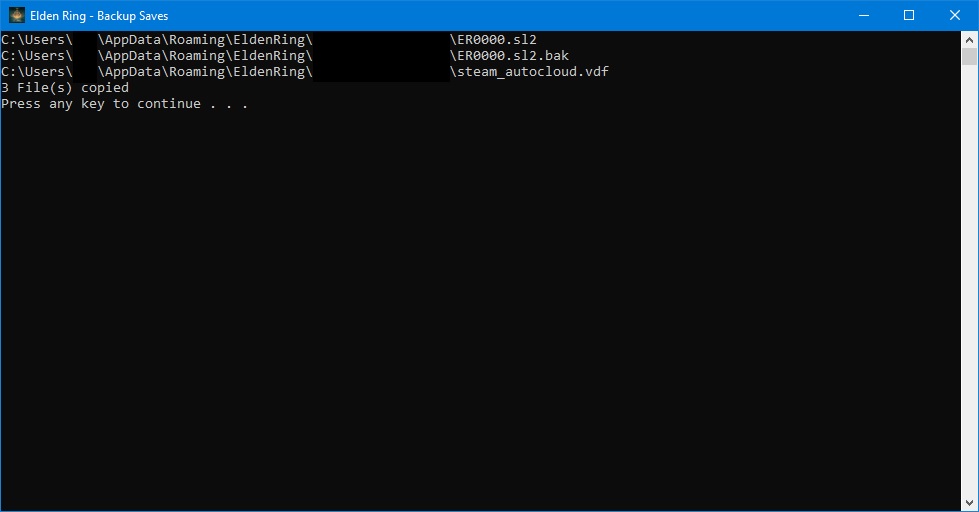
Thanks to Ser Bevan for his great guide, all credit to his effort. you can also read the original guide from Steam Community. enjoy the game.
