
How to get camera rotation in build mode, get a smoother rotation, and other quality of life improvements.
Root cause
There’s other poor keybinding choices there. Honestly, I don’t understand how the devs did not spot this during playtesting. The default settings and keybindings make it hard to enjoy the game as they are. I hope this guide becomes obsolete as soon as a patch is released and the default values changed. Until that happens, see below how to fix the issue.
Camera rotation in build mode
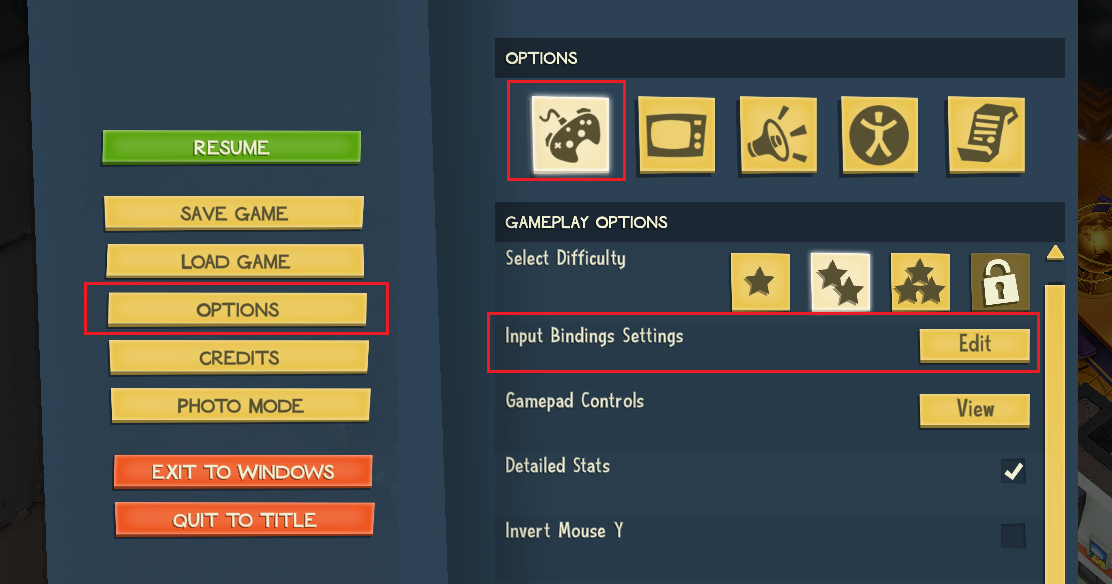
—
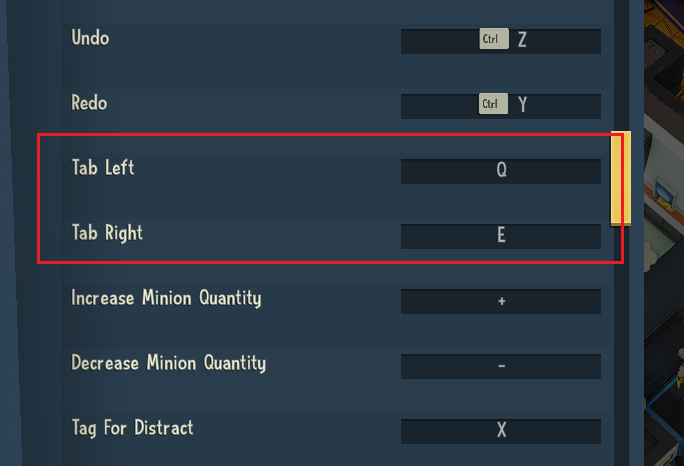
2. Scroll down until you find Tab left and Tab right and see the guilty assignment.
—
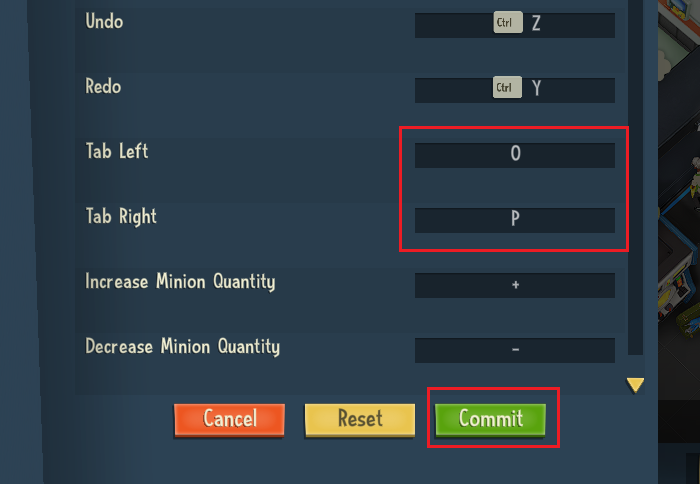
3. Change them to buttons you won’t use – I used O and P for mine. Then click Commit.
Smoother camera rotation
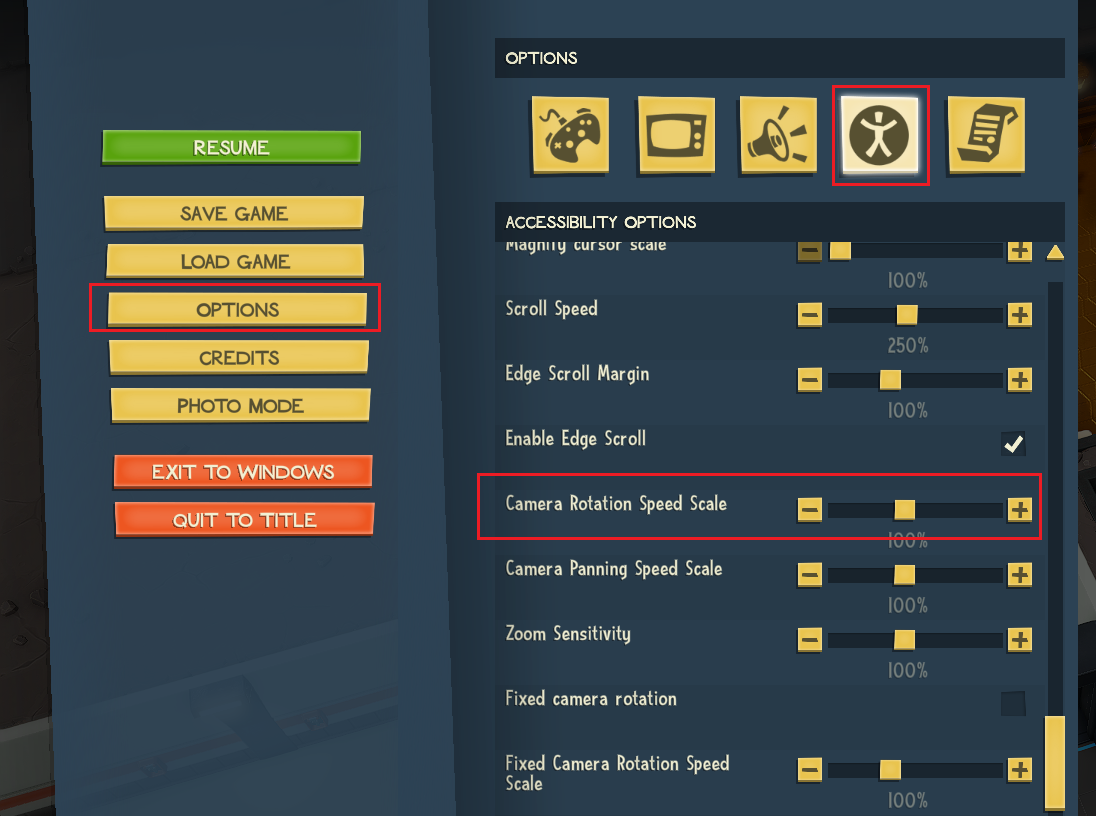 —
—
2. Set it to a higher value. I recommend 150 to 200%. Then click Back.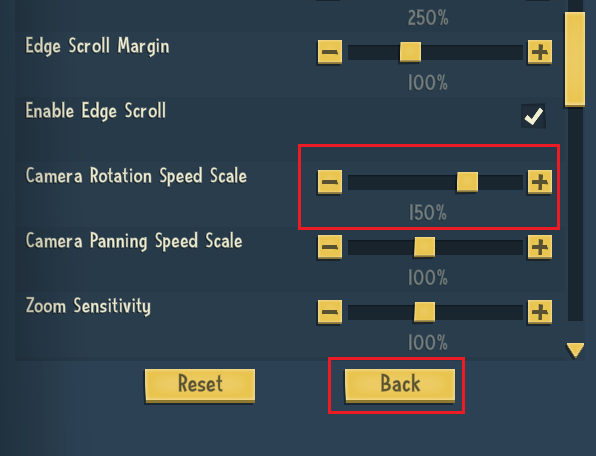
Bonus: tilt camera from the keyboard
1. Go to Options > Gameplay options > Input binding settings > Edit.
—
2. Assign R and F to Rotate camera up and Rotate camera down. Not perfect, but at least I can do everything camera-related with my left hand.
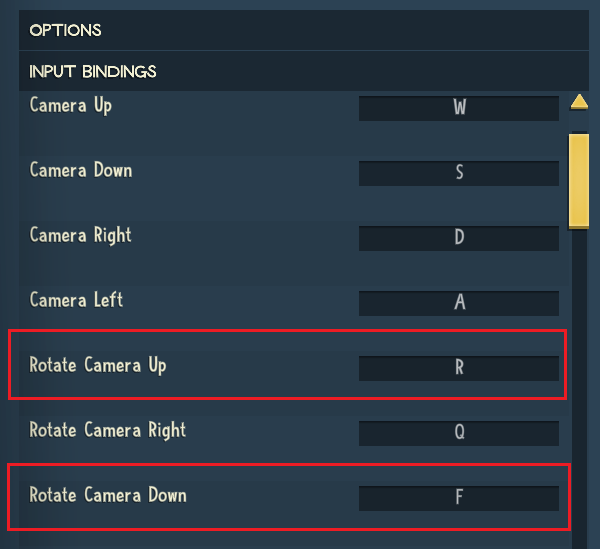
—
3. Confirm any warning message.
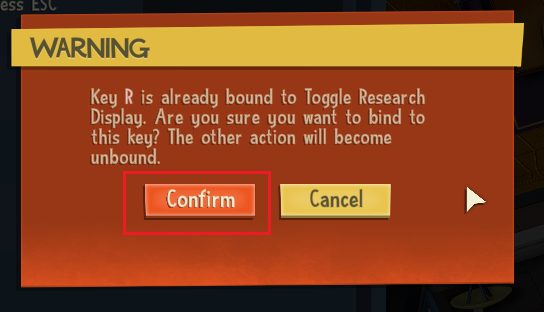
—
4. Click Commit