

Another Possible Performance Fix For Windows
How to Change CPU Priority to improve Performance While Playing
Search for Registry Editor on Windows
Open Registry Editor
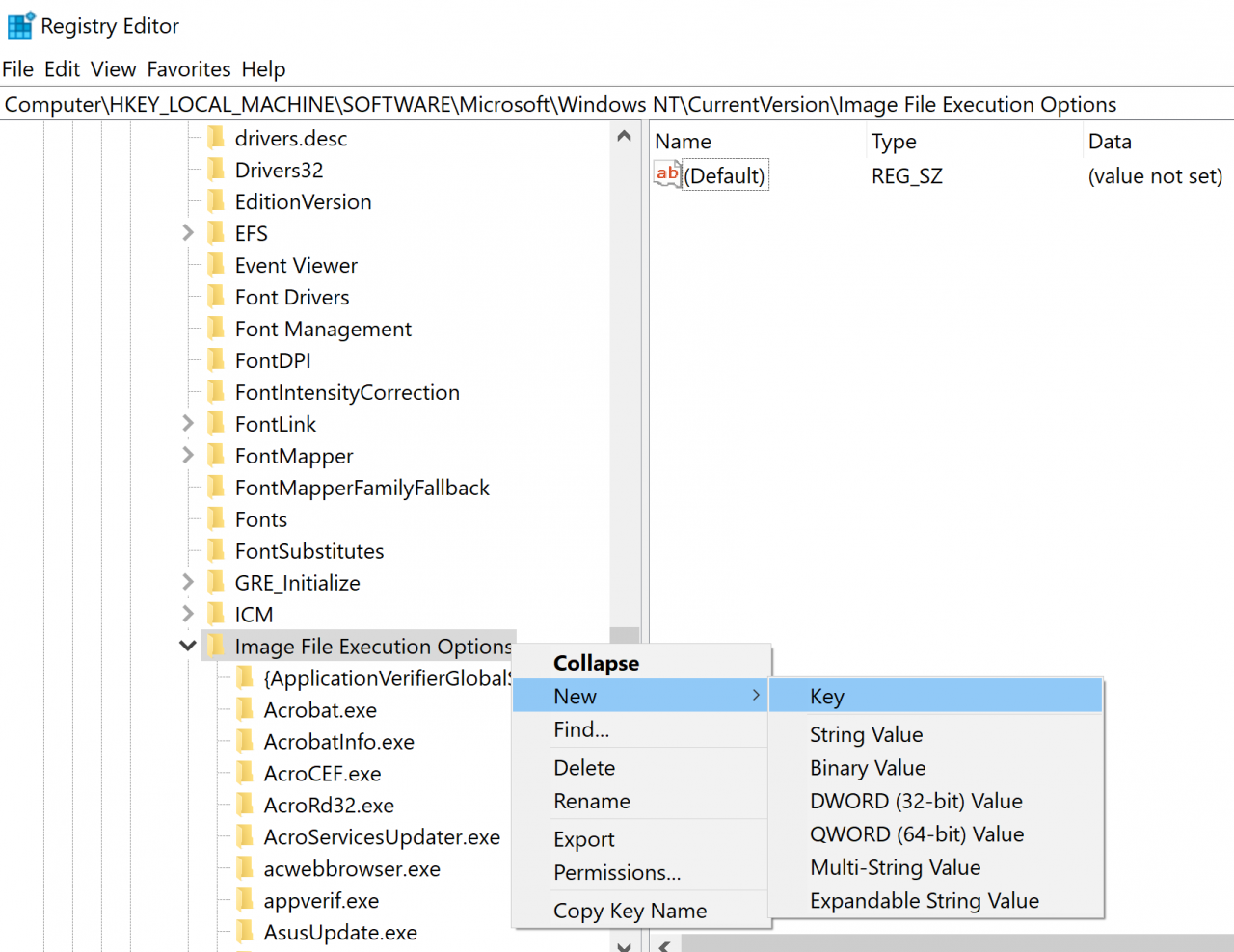
Type Computer\HKEY_LOCAL_MACHINE\SOFTWARE\Microsoft\Windows NT\CurrentVersion\Image File Execution Options in the Registry Editor
Right click Image File Execution Options, then select New>Key and name it eldenring.exe
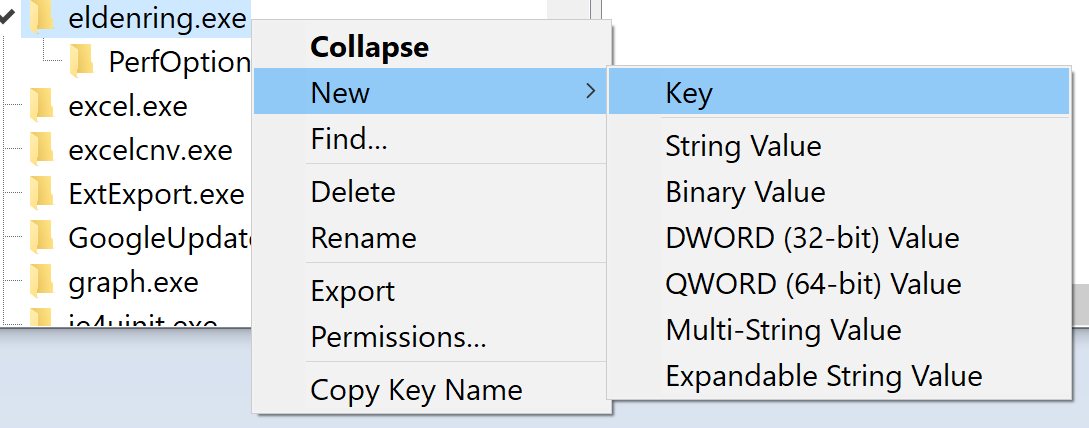
Now right click eldenring.exe and do the same New>Key and name this one PerfOptions
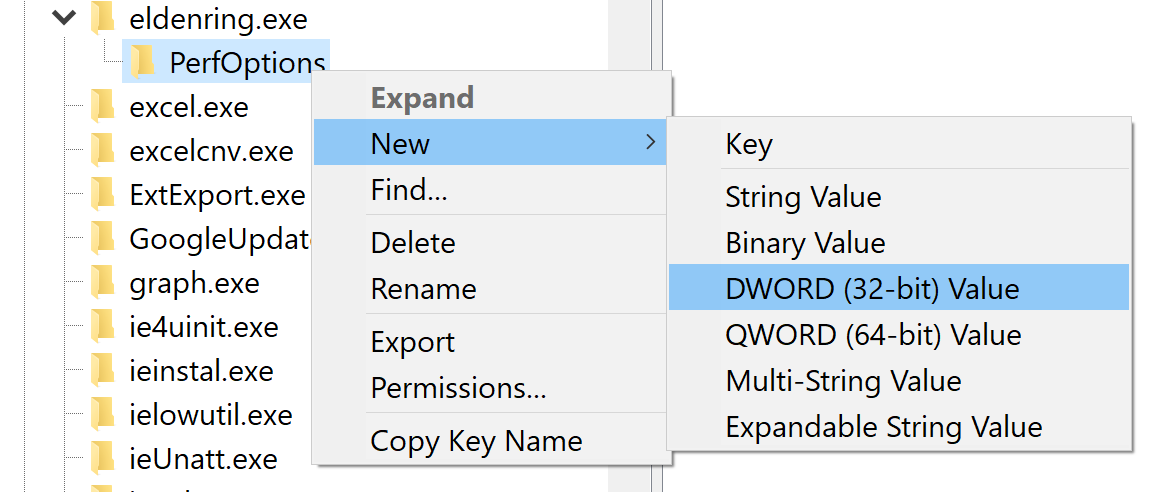
Then right click PerfOptions and select New>DWORD (32-bits) Value and name it CpuPriorityClass
Open CpuPriorityClass and set its value to 3 and its base to hexadecimal
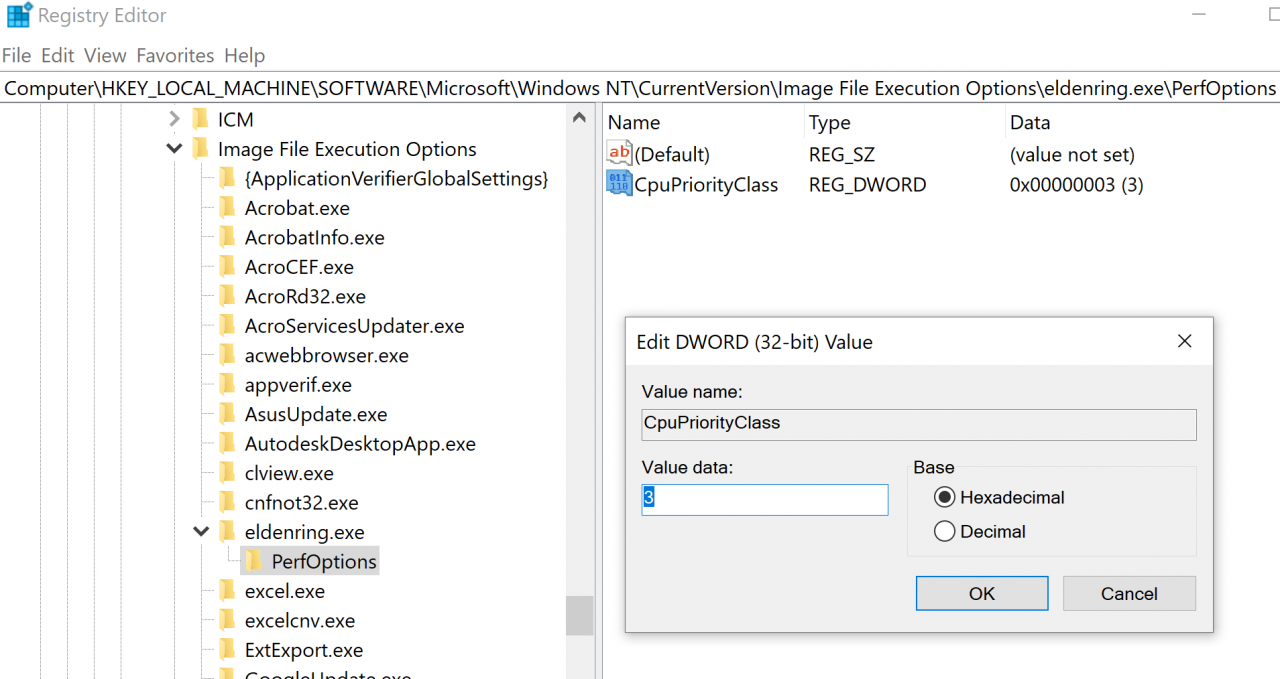
If you want to put another value here it’s a list with the possible values that you can input, I HIGHLY ADVICE TO SET THE VALUE TO 3
- 1 = Idle
- 2 = Normal
- 3 = High
- 4 = RealTime
- 5 = Below Normal
- 6 = Above Normal
All this may help you to get a better performance for the game.
Thanks to pOllOXD789 for his great guide, all credit to his effort. you can also read the original guide from Steam Community. enjoy the game.
