
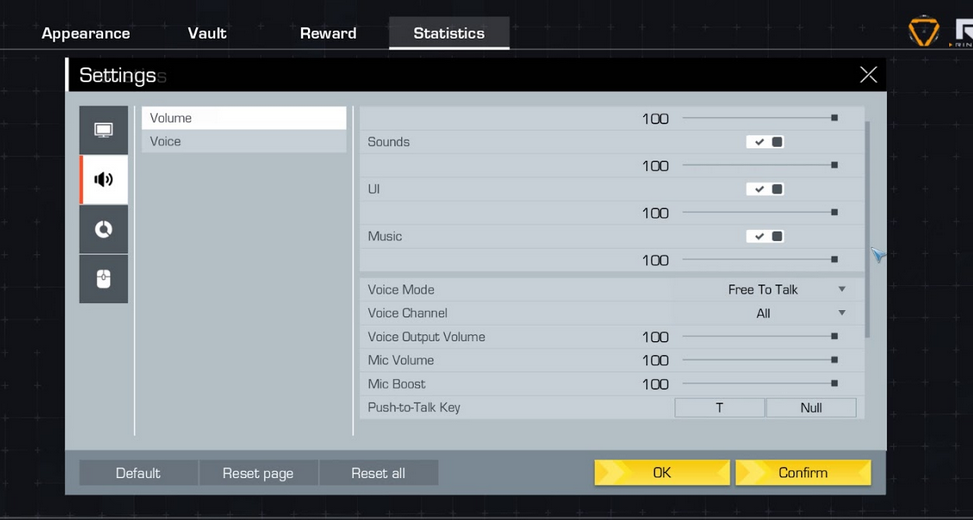
Like Fortnite and PUBG, Ring of Elysium has an in-game voice chat too. You can decide whether you want to be heard only by your team or by all players in a match. Open the your Settings and click on the Sound icon.
Voice Chat Mode – Choose how you want to activate your microphone (automatic, always on, push-to-talk).
Channels – decide who will be able to hear you(all people around you, only your teammates ).
Voice Output Volume – the volume of the voice chat.
Mic Boost – decide how much you want to boost your mic.
Push-to-Talk Key – select which key will activate your mic.
Hot Keys:
Mute Master Volume – Ctrl +M.
Switch Voice Channel – Ctrl + Y.
Mute Voice Chat – Ctrl + T.
Master Volume Input – Ctrl +U.
If the voice Chat isn’t working , reset your settings and restart your game.
